
FAQ
게시판 내용 입력 및 파일첨부에 개인정보가 포함될 경우 개인정보가 유출되어 악용될 수 있으니 주의하시기 바랍니다.
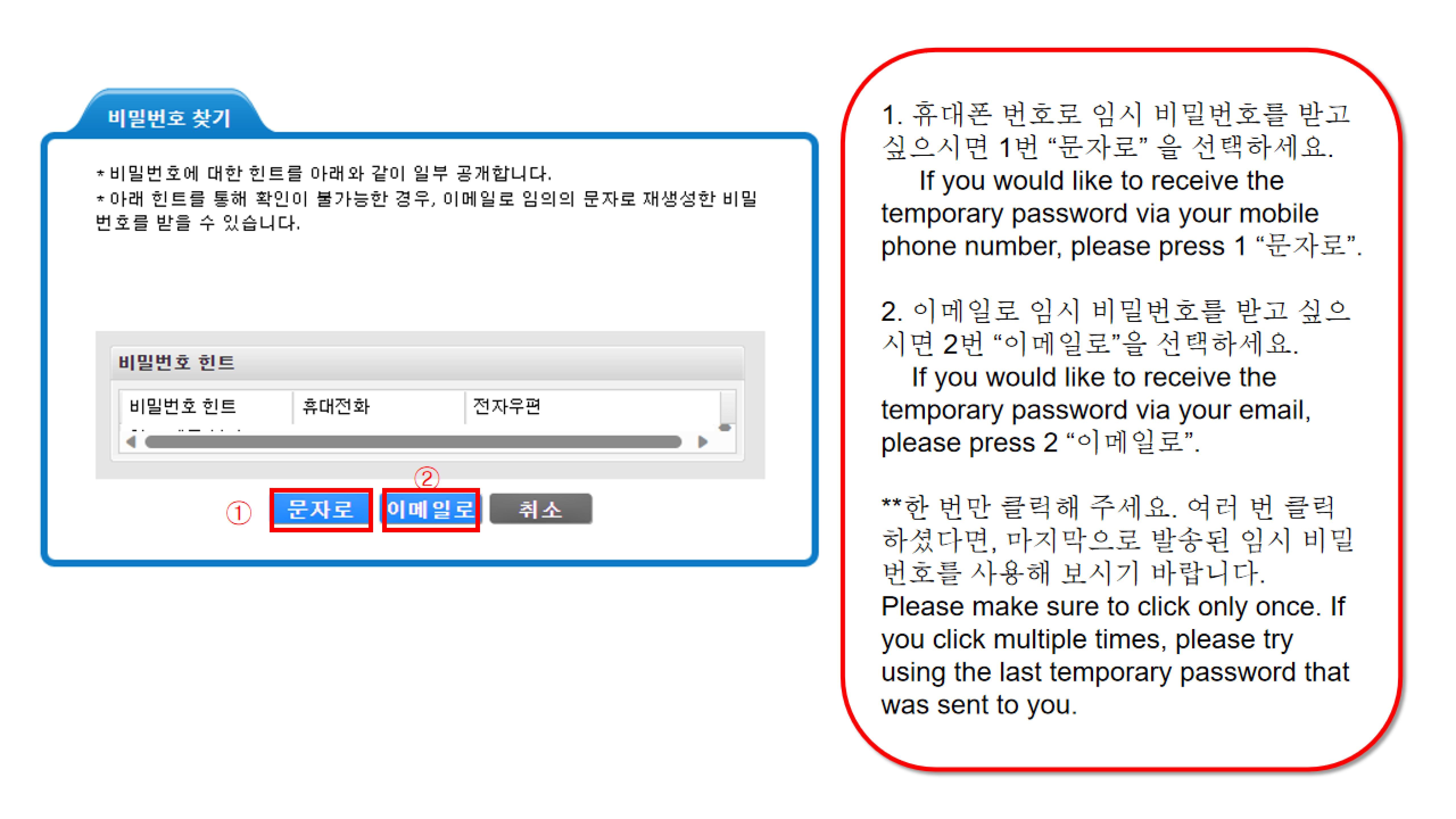
비밀번호 찾은 방법(How to recover your password)
작성자
국제교류원
작성일
2025-12-10 09:13
조회
574
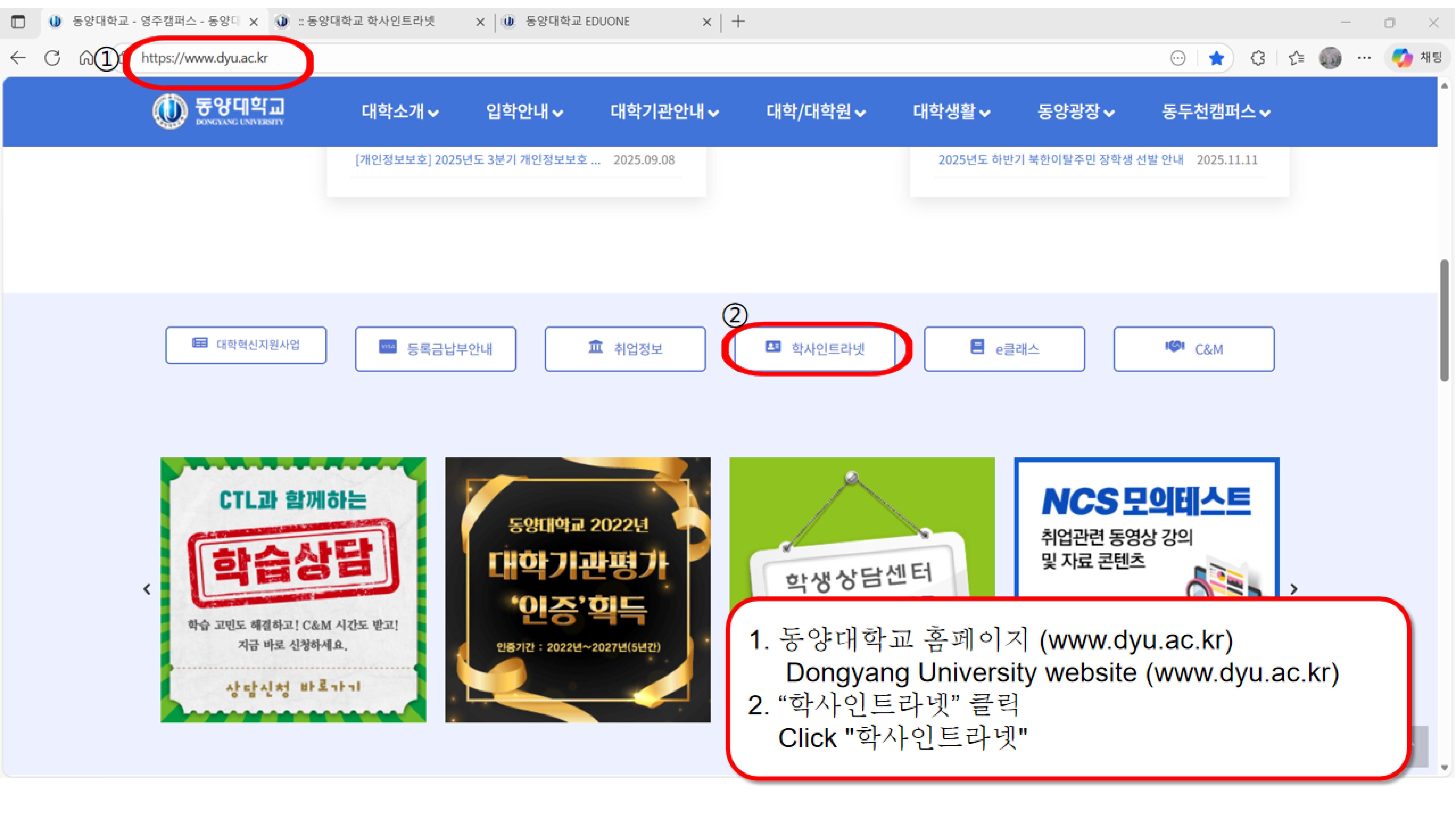
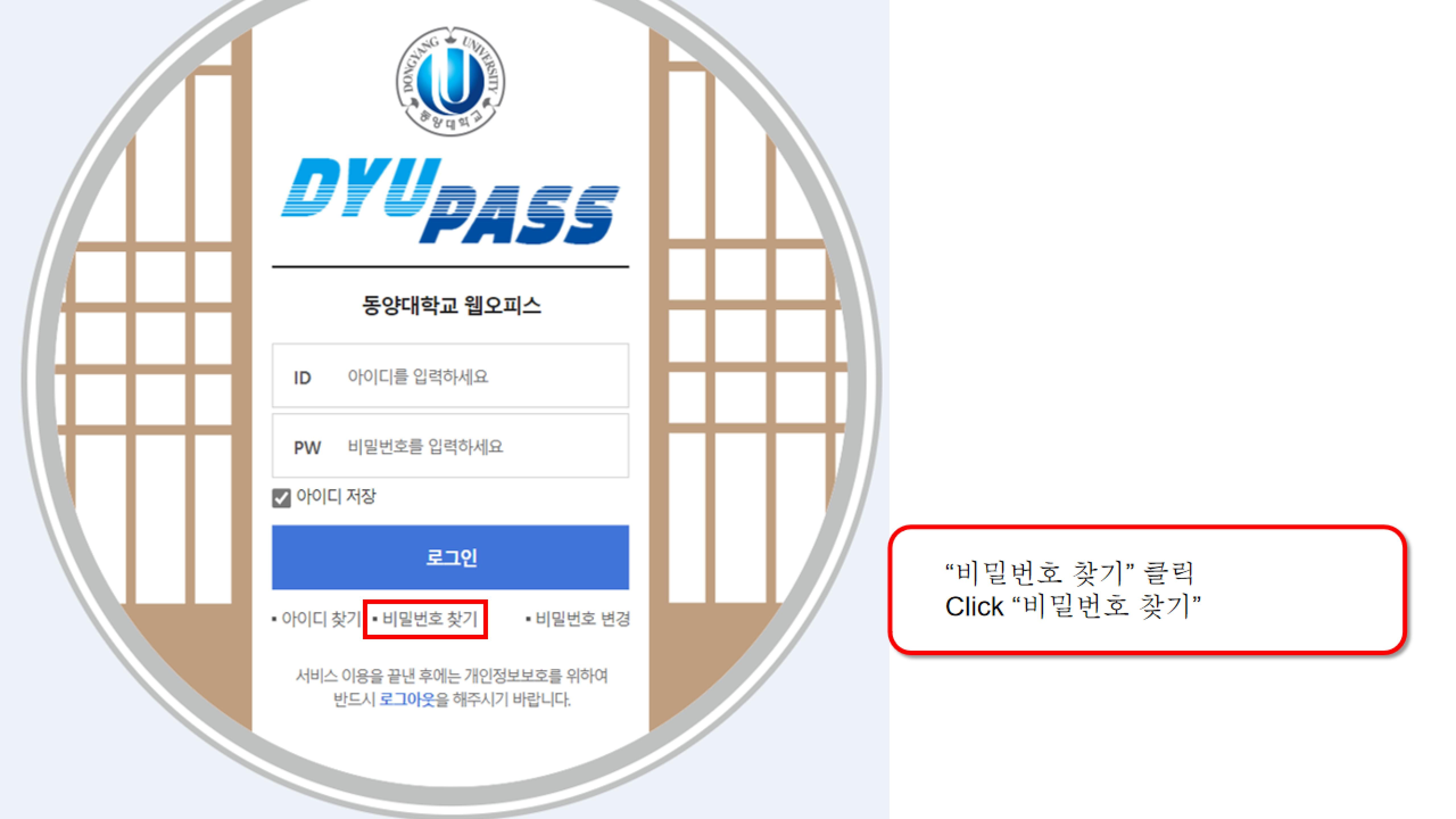
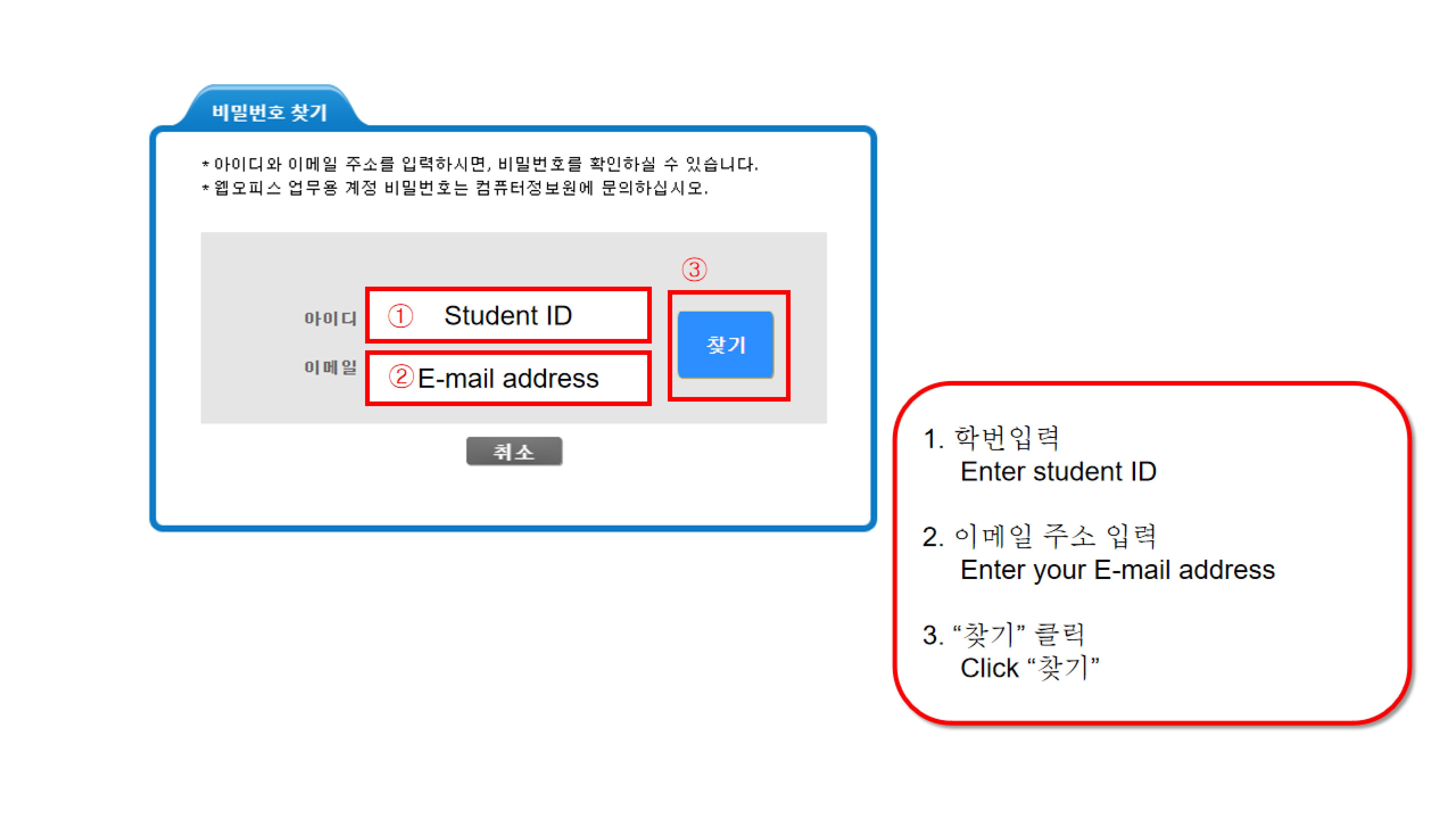
위의 절차를 모두 완료했음에도 아래 화면으로 이동되지 않는 경우, 다음과 같은 이유일 수 있습니다.
- 입력한 학번이 정확하지 않거나, 학번 혹은 이메일 주소 앞뒤에 공백이 포함된 경우
- 입력한 이메일 주소가 학교 시스템에 등록된 주소와 다른 경우(대소문자 확인 필요)
학번과 이메일 주소를 다시 한 번 정확히 확인해 주시기 바랍니다.
확인 후에도 문제가 계속된다면, 아래 양식에 맞춰 담당자 이메일로 보내 주십시오.
학생 정보가 학교 시스템에 다시 등록되면 담당자가 확인 이메일을 발송할 것이며,
그 후 비밀번호 찾기를 다시 진행하시면 됩니다.
이메일 제목 : 학번 + 학생이름(예: 22212555 홍길동)
이메일 내용:
영문명:
학번:
휴대폰 번호:
이메일 주소:
담당자 이메일: zhuyongde@dyu.ac.kr
If you have completed all the steps above but still cannot proceed to the next page, it may be due to the following reasons:
- The student ID you entered is incorrect, or there are spaces before or after the student ID or email address.
- The email address you entered does not match the one registered in the school system (please check upper- and lowercase letters).
Please carefully check your student ID and email address again.
If the problem continues after checking, please send an email to the staff using the format below.
Once your information is re-registered in the school system, the staff member will send a confirmation email.
After receiving the confirmation, you can try the password-recovery process again.
Email Subject: Student ID + Student Name (e.g., 22212555 Hong Gil-dong)
Email Content:
English Name:
Student ID:
Mobile Phone Number:
Email Address:
Staff Email: zhuyongde@dyu.ac.kr
전체 0개